
Best AI Image Generator
Like with most AI tools, there is no single best AI image generator, and any roundup that claims otherwise is probably skipping actual testing work. The reality is that each AI image generator is good at different things. Midjourney still leads on raw artistic taste, Google’s Nano Banana Pro and Flux lead on photorealism, Ideogram is the only tool that reliably gets text right inside an image, Adobe Firefly is the safest choice if commercial licensing risk matters to your business, and Canva wins on convenience if you just want to drop an image straight into a design. Claiming one to be the “best” without knowing your ultimate goal is how people end up paying for multiple subscriptions that all do the same thing. (And why you see so many AI-generated posters that look identical these days.)
We compared twelve of the most-used platforms across image quality, how closely the output actually follows the prompt, generation speed, and price, using the same prompt set across every tool so the comparison is apples-to-apples rather than cherry-picked marketing samples.
How We Tested The Best AI Image Generators
We ran an identical set of prompts across every platform, spanning photorealistic portraits, product shots, text-heavy graphics, stylized illustration, and a fantasy scene, and compared the raw output side by side rather than focus on a tool’s showcase gallery. If the tool offered multiple models (Leonardo and Firefly, among others), we tested the flagship default, since that’s what most users would likely use. Pricing, credit systems, and models in this category change unusually fast (several tools shipped new flagship models more than once in 2026 alone), so always check the specifics before subscribing. They could have changed since this was written.
Quality: We evaluated overall image coherence, including correct anatomy, consistent lighting, clean composition, and whether the result looks like something you’d actually publish or needs significant retouching first.
Prompt adherence: We reviewed how closely the output matched what was actually asked for, including specific counts, poses, text content, and style direction, rather than a generically pleasant image that ignored half the brief.
Speed: We timed how long it took for real generation per image at default settings, since a queue or slow render matters in practice even when the eventual output is excellent.
Price: We compared the cost at the tier that would support regular, ongoing use, not just a free trial allotment, converted to a rough per-image cost where the platform uses credits or pay-per-image billing rather than a flat subscription.
Best AI Image Generators At A Glance
| Tool | Best for | Free tier | Starting price | Commercial use |
| Midjourney | Artistic quality, illustration | No | $10/mo | Yes (Pro/Mega plan required at scale) |
| GPT Image (via ChatGPT) | Ease of use, instruction-following | Limited (ChatGPT free tier) | $20/mo (ChatGPT Plus) | Yes |
| Google Images / Nano Banana Pro | Photorealism, 4K output | Yes, free in Gemini app | ~$19.99/mo (Gemini) or pay-per-image API | Yes |
| Leonardo AI | Model variety, game/concept art | Yes, 150 tokens/day | $14/mo | Yes |
| Ideogram | Text rendering inside images | Yes, 10 prompts/day | $20/mo | Yes |
| Flux (Black Forest Labs) | Photorealism, open-source flexibility | Limited (via third-party hosts) | Pay-per-image (~$0.03–0.05) | Yes (check model license) |
| Stable Diffusion | Free self-hosting, full control | Yes, unlimited (self-hosted) | Free (own GPU) or cloud hosting cost | Yes (SD 3.5, under revenue cap) |
| Adobe Firefly | Commercial safety, Photoshop integration | Yes, limited credits | $9.99/mo | Yes, with IP indemnification |
| Canva (Dream Lab) | Design workflow, non-designers | Yes, limited credits | $15/mo (Pro) | Yes, on paid plans |
| Recraft | Vector/SVG output | Yes, 30 credits/day | Varies by tier | Yes |
| Freepik AI Suite (now Magnific) | Budget multi-model access | Yes, 20/day | $20/mo (Premium) | Yes, on paid plans |
| NightCafe | Community-driven, budget credits | Yes, daily free credits | Low-cost credit packs | Yes |
*Pricing, credit systems, and free-tier limits change often in this category. Always confirm current numbers directly on each provider’s site before subscribing.
The Best AI Image Generators Reviewed (with samples)
Midjourney
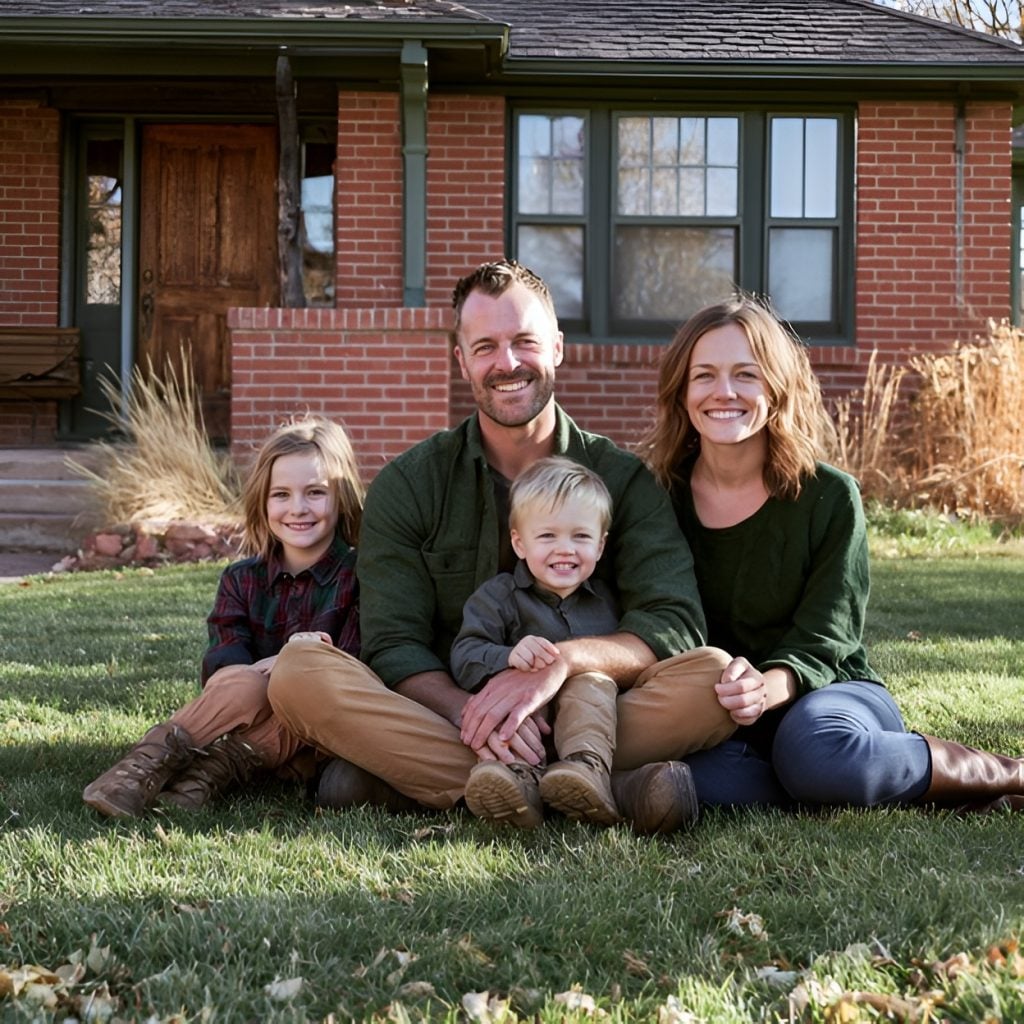
Midjourney is the top of the list when it comes to artistic quality. The V7/V8 models consistently produce images with a distinctive, painterly sense of lighting and composition that other tools’ outputs are compared against, even when those tools may win on different metrics. There’s no free tier at all, so be prepared to pay a minimum of $10/month (that’s the basic, relax-mode-only generation) and up to $60/month or more for Pro plans with Stealth mode, which is required for companies over a certain revenue threshold per Midjourney’s terms. It works through a web interface rather than a traditional app, which some users could find less intuitive but isn’t a deal breaker.
Verdict: the best pick for artistic and illustrative work where aesthetic quality is the priority; less suited to precise instruction-following or budget-conscious high-volume use.
Sample Prompt + Image: create a photorealistic portrait of a family of 4 sitting in front of a red brick home
GPT Image
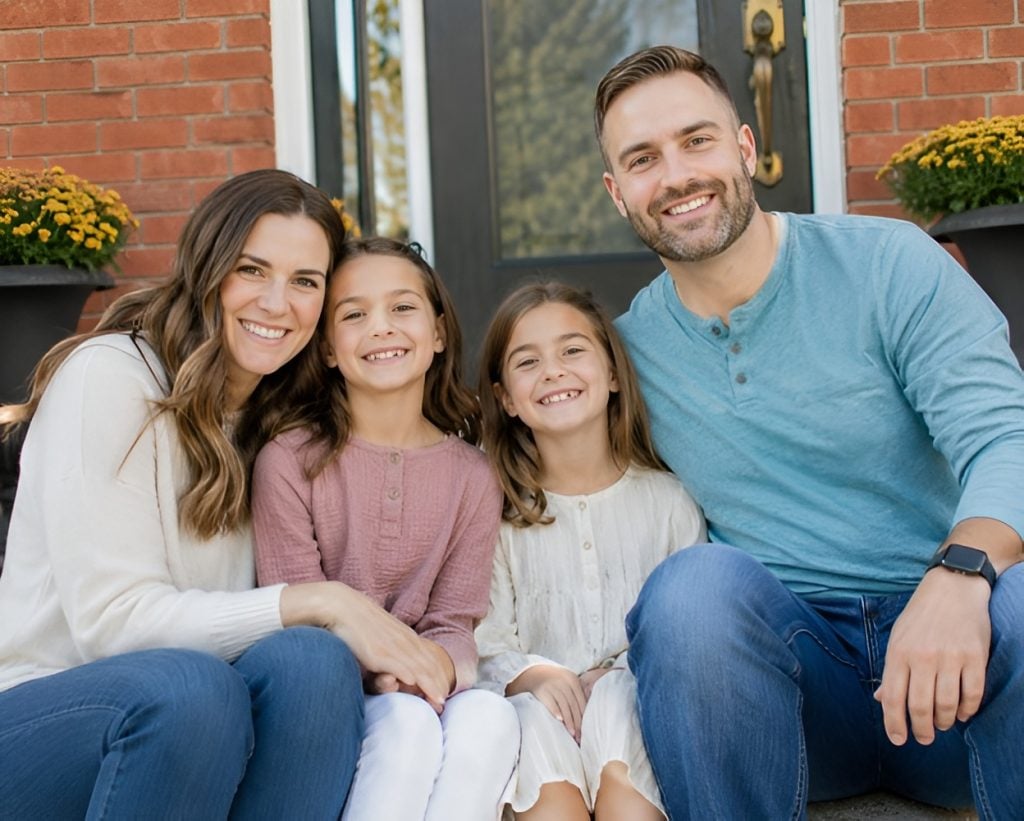
OpenAI’s image model (accessed through ChatGPT) leads on a different metric than Midjourney. It’s focused less on the artistic quality and more on following exactly what you asked for. Its conversational interface means you can request an image, then ask for a specific, targeted edit. Think “add more clouds to the sky” or “change the dad’s hair color”. Being able to ask in plain language rather than re-engineering the whole prompt is especially helpful for people who are using this outside of commercial use. Plus it’s bundled into ChatGPT Plus at $20/month, so anyone already paying for ChatGPT gets it at no extra cost. However, there is no batch generation, no fine-tuning (outside of requesting changes in-text), and generation can be as slow as 60-180 seconds during peak hours.
Verdict: the best pick for anyone who wants accurate, editable results without learning a separate tool, especially if you already pay for ChatGPT.
Sample Prompt + Image: create a photorealistic portrait of a family of 4 sitting in front of a red brick home
Google Images`/Nano Banana Pro
Google’s flagship image model (Gemini 3 Pro Image, widely nicknamed Nano Banana Pro) has quickly become the photorealism leader in 2026. Everything holds up to close inspection, from skin texture to fabric to lighting, plus it offers native 4k output that few competitors can match. It’s 100% free inside the Gemini app with daily limits, and available pay-per-image through Google’s API for higher-volume or commercial use, priced by resolution tier. Its conversational editing and character-consistency tools are some of the strongest in this category.
Verdict: the strongest pick for photorealistic work, and one of the only flagship-quality models with a real free tier attached.
Sample Prompt + Image: create a photorealistic portrait of a family of 4 sitting in front of a red brick home
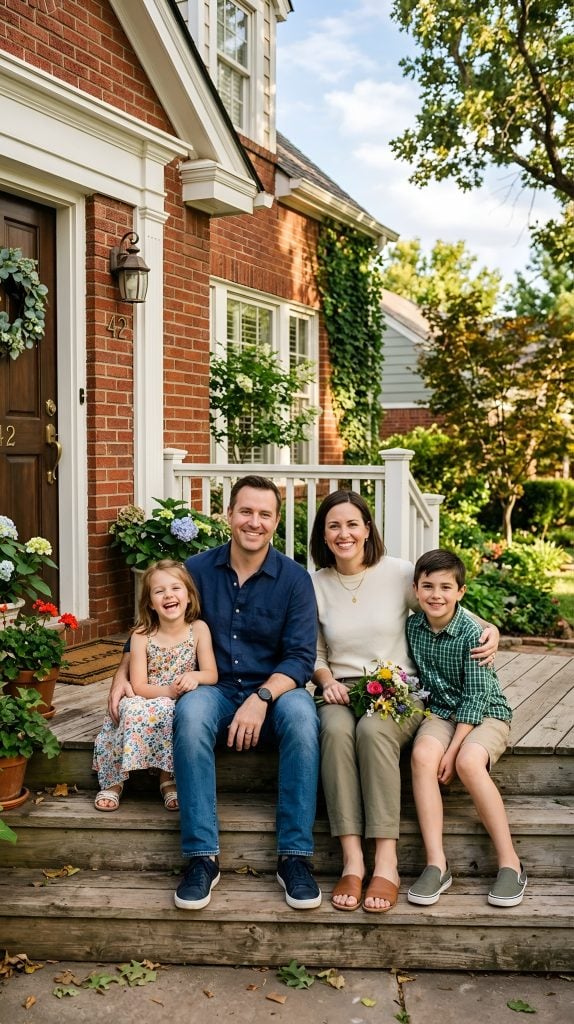
Leonardo AI
Leonardo offers choice instead of one proprietary model. You can access dozens of fine-tuned models, including its own Phoenix (all-purpose), Kino XL (cinematic), and Anime XL, as well as community-uploaded models tuned for specific niche styles like isometric game art or watercolor. That makes it a favorite for game developers, concept artists, and illustrators who need a consistent style across many images. It is now owned by Canva (who acquired it in 2024), but it still operates independently. Its free tier offers 150 tokens daily, enough for 20-3 basic generations, making it one of the most generous free tiers on the list. The photorealism is solid but trails behind Flux and Nana Banana Pro on the most realistic shots. Plus, the interface can take longer to learn the single-model tools like Midjourney.
Verdict: the best pick for illustrators, game artists, and anyone who wants deep style control across a consistent project rather than one-off images.
Sample Prompt + Image: create a photorealistic portrait of a family of 4 sitting in front of a red brick home
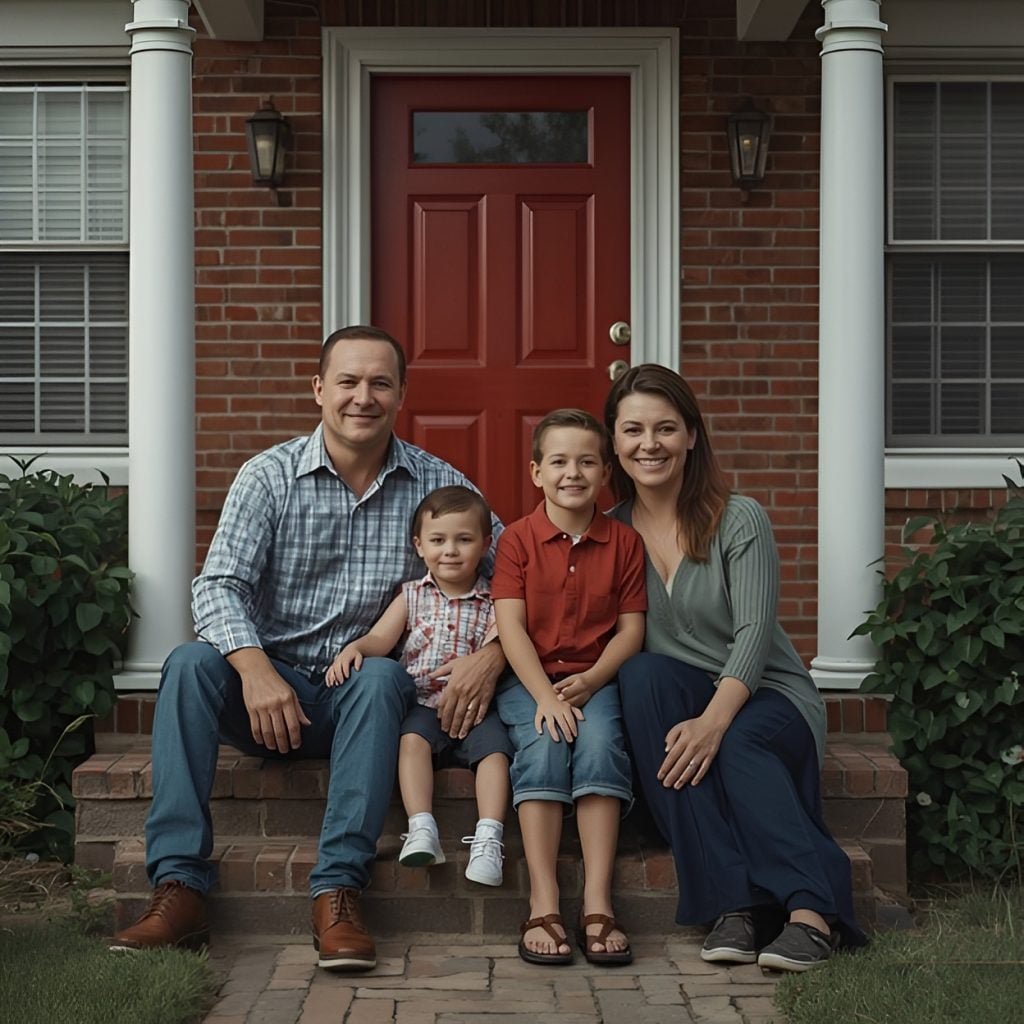
Ideogram
Ideogram exists to solve one specific, historically hard problem for these kinds of AI tools: getting legible, correctly-spelled text inside a generated image. Independent benchmarks put its text accuracy around 90-95%, compared to 30-40% for Midjourney and Stable Diffusion on the same task. That’s not a marginal edge; it’s a massive gap that should convince anyone who needs to create things like logos, posters, packaging mockups, or any social graphics where the words on the image matter to at least give it a try. Its free tier is usable if you don’t have a large amount of images to create daily at 10 prompts per day, which gives you about 40 images total. It also doesn’t require putting a credit card down, though free-tier generated images are public to the community by default, so keep that in mind.
Verdict: the clear choice, with little competition, for any image that needs readable text like logos, posters, ads, packaging.
Sample Prompt + Image: create a photorealistic portrait of a family of 4 sitting in front of a red brick home
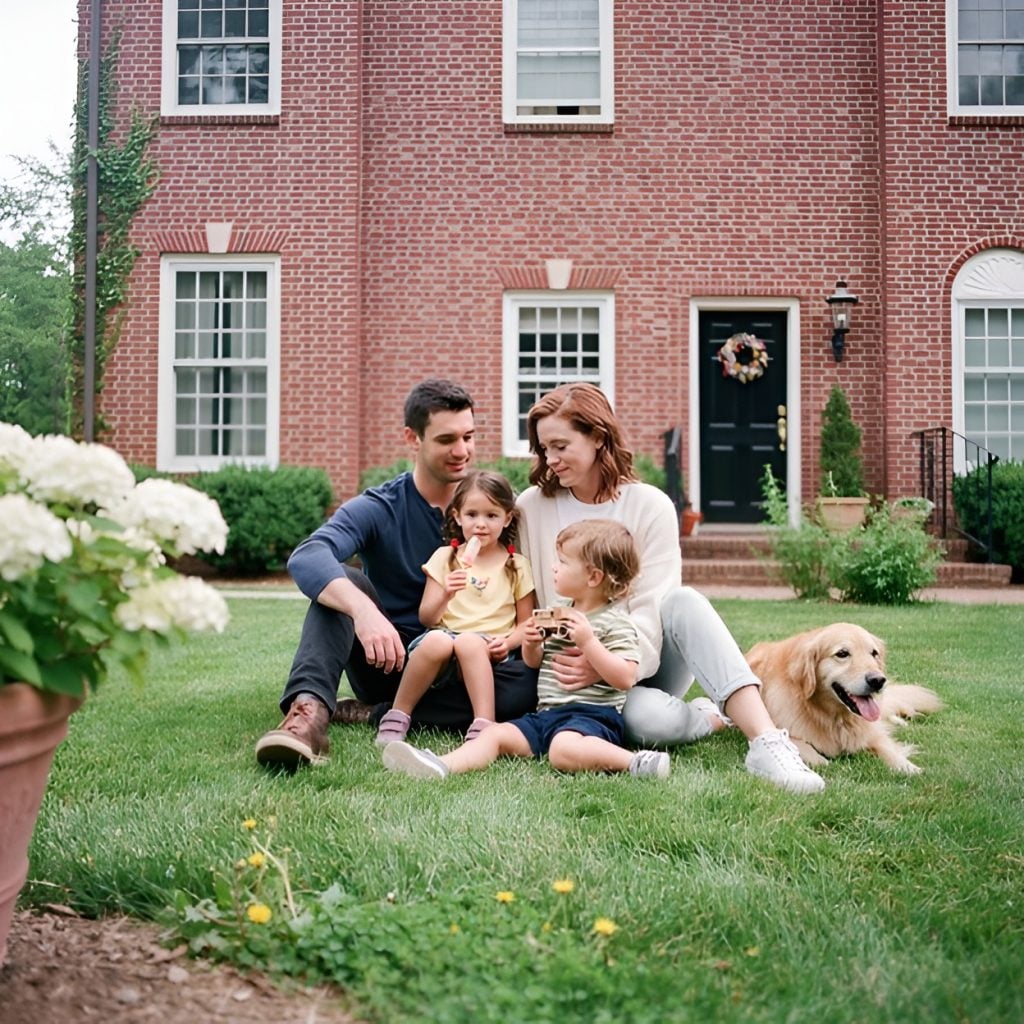
Flux
Flux, from Black Forest Labs (founded by the original Stable Diffusion team), has become a leader in photorealism since its 2.0 release, particularly for product photography, human subjects, and architectural visualization. Plus it generates much faster than other tools on this list, around 4.5 seconds at 2048×2048 resolution in most cases. It is offered via developer APIs, commercial services, and open weights for local community execution, and is priced per-image or per-megapixel rather than a flat subscription rate. That makes it cheap at volume but requires more technical knowledge than a standard web app. Licensing varies by version, so verify if you need a commercial license before using open-weight Flux models for paid work.
Verdict: the best value for photorealistic work at scale if you’re comfortable with a pay-per-image or self-hosted workflow rather than a simple subscription app.
Sample Prompt + Image: create a photorealistic portrait of a family of 4 sitting in front of a red brick home
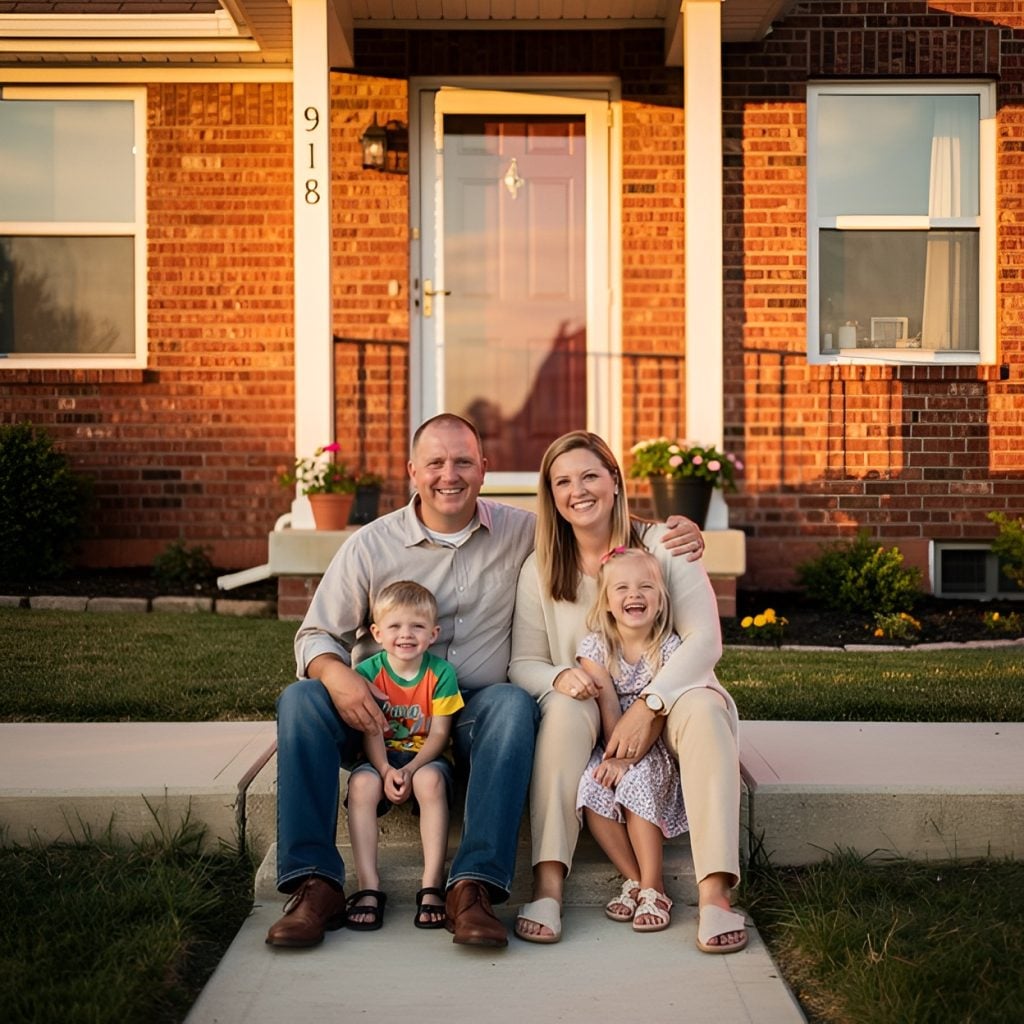
Stable Diffusion
Stable Diffusion is one of the best tools for open-source image generation, and is free to run if you have the hardware (16GB+ VRAM recommended for production-quality output), with full control over fine-tuning, custom models, and generation parameters that no hosted platform offers. SD 3.5 is the current version and the only major open-weight model in this category that is free for commercial use out of the box (though only under a revenue cap specified in the license, so check before using it for paid work). While Flux has generally overtaken it on raw output quality among open-weight models, Stable Diffusion’s ecosystem of community fine-tunes and tools remains the largest. If you want to try Stable Diffusion, you can try one of the third-party wrapper sites that run Stable Diffusion models in a browser without installing anything. It’s not the same thing as Stable Diffusion, the actual open-source model, and it’s not Stability AI, the company that develops it, but it gives you the chance to try it out for free.
Verdict: unbeatable on cost for technical users with the hardware and patience to run it themselves; not a fit for anyone who wants a simple, no-setup web app.Sample Prompt + Image: create a photorealistic portrait of a family of 4 sitting in front of a red brick home.
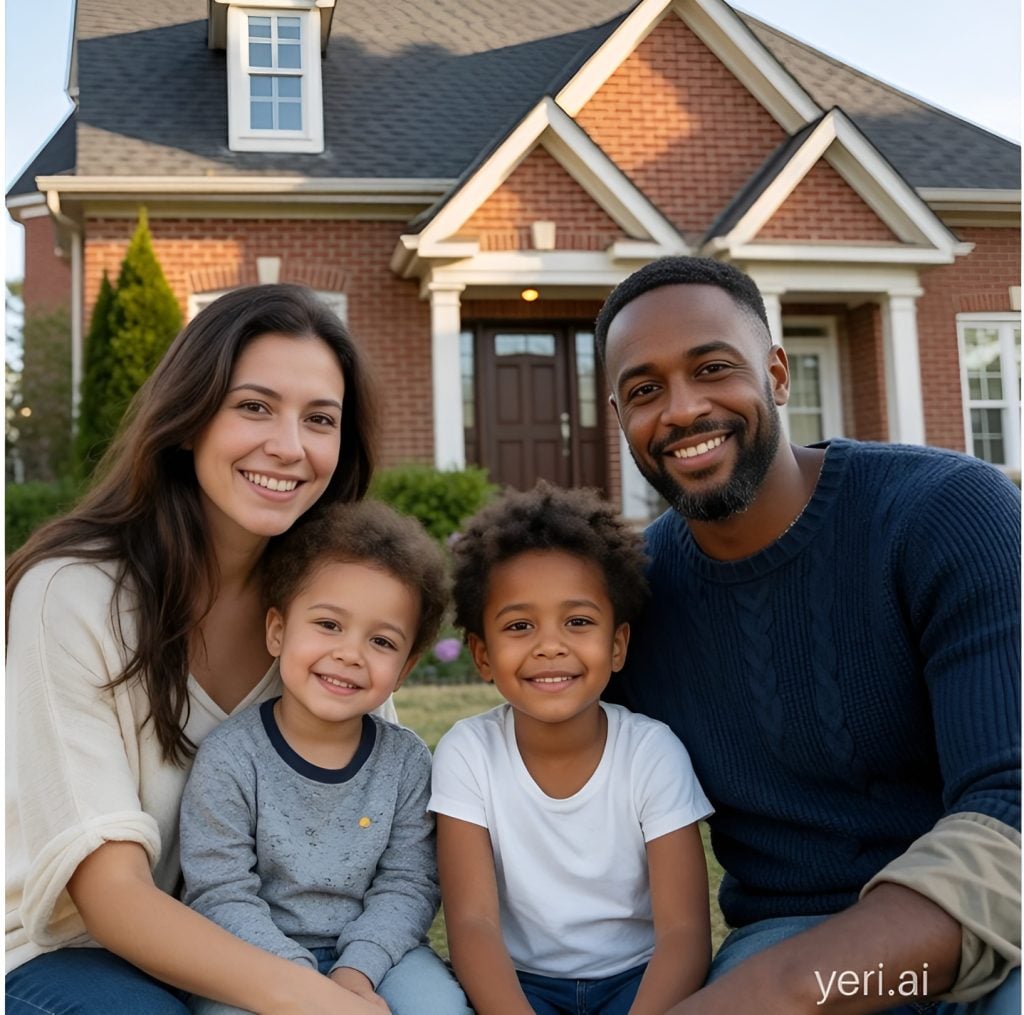
Adobe Firefly
Firefly may not lead the industry with raw image quality (it trails Midjourney, Flux, and Nano Banana Pro on pure aesthetics), but it is the frontrunner on legal safety. Trained specifically on Adobe Stock, licensed content, and public domain images, it comes with commercial IP indemnification and Content Credentials that document how an image was made, which matters enormously for businesses with a legal review process around image provenance. It also offers deep integration into Photoshop, so for teams already in Adobe’s ecosystem, it is a genuine workflow advantage that no standalone tool can replicate. And with pricing starting at $9.99 a month, it can’t be beat there.
Verdict: the right pick when commercial and legal safety matters more than winning a pure aesthetics contest — brand and enterprise work, mainly.
Sample Prompt + Image: create a photorealistic portrait of a family of 4 sitting in front of a red brick home
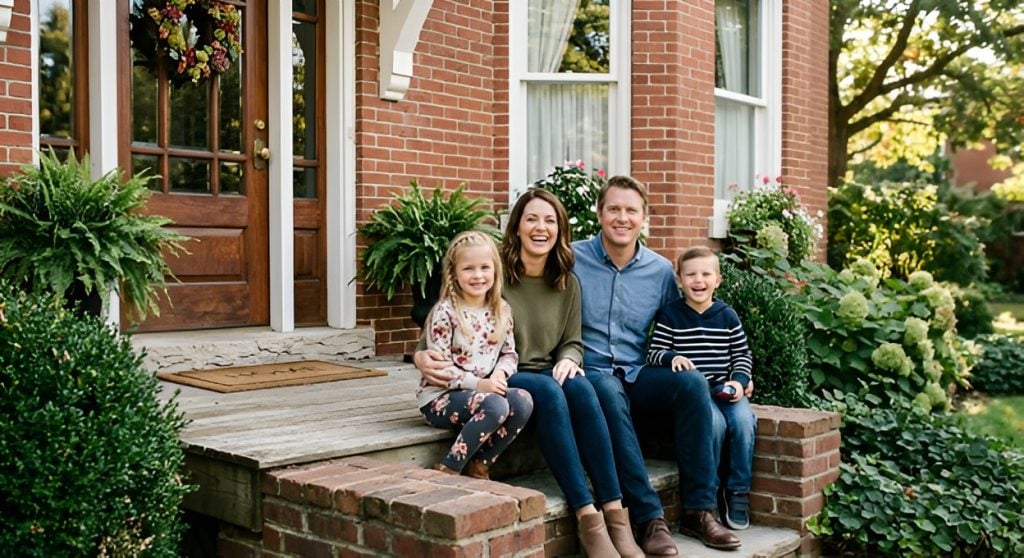
Canva AI
Canva’s AI image generator, Dream Lab, runs on Leonardo’s Phoenix architecture (Canva acquired Leonardo in 2024) and its real value isn’t the image model itself. Independent testing rates its text rendering and photorealism behind dedicated tools like Ideogram and Nano Banana Pro. Instead, the value is that the image lands directly inside a design you’re already building on its platform with no export-and-import step. Canva AI 2.0 (released April 2026) added native GPT Image integration and Magic Layers, letting you split an AI-generated poster into editable layers, which did greatly improve Canva AI’s quality compared to competitors. It’s also included in Canva Pro at $15/month, so if you’rea lready paying for Canva, the AI features are basically free.
Verdict: a strong bonus if you’re already a Canva user building complete designs; not competitive as a standalone image generator against dedicated tools.
Sample Prompt + Image: create a photorealistic portrait of a family of 4 sitting in front of a red brick home
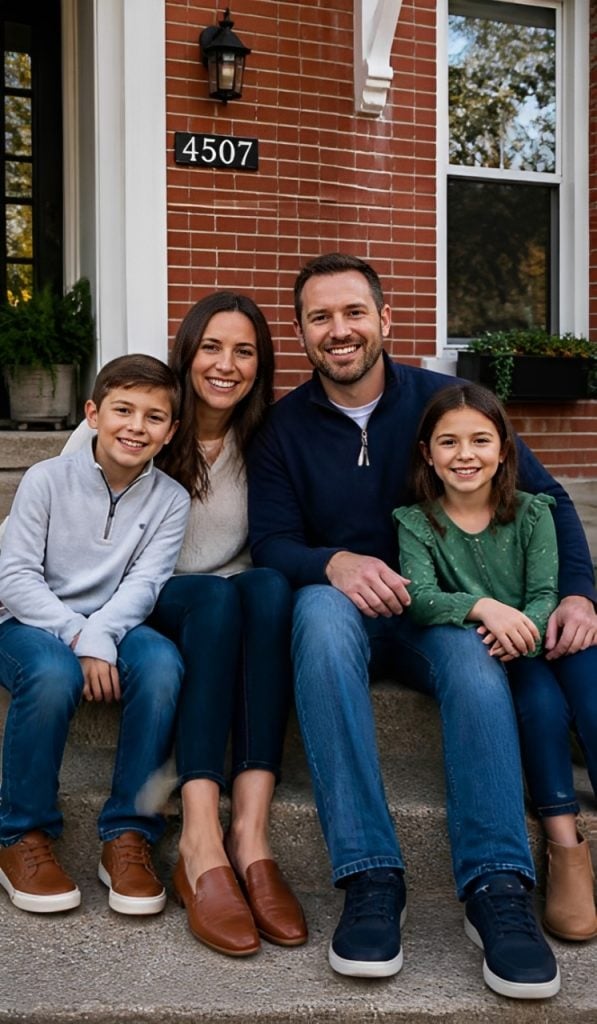
Recraft
Recraft offers something no other major tool on this list does: native, editable SVG vector output, not just a raster image. That makes it the obvious choice for logos, icons, and any graphic that needs to scale cleanly or be edited in vector software after generation. That’s a vastly different sue case from every other photorealistic or artistic tool here. Its V2 model also topped independent text-to-image arena benchmarks in some 2026 testing, competing directly with Ideogram on text accuracy while adding the vector advantage. It does offer a free tier of 30 credits daily, but for commercial use you’ll have to pay to upgrade for at least $12/month. Plus you can choose other models to try, including several on this list like Nano Banana and GPT Image. Also, like Stable Diffusion, this tool offered two family options, including a family of color, when asked the prompt below.
Verdict: the only real choice on this list if you specifically need vector output rather than a flat image file.
Sample Prompt + Image: create a photorealistic portrait of a family of 4 sitting in front of a red brick home
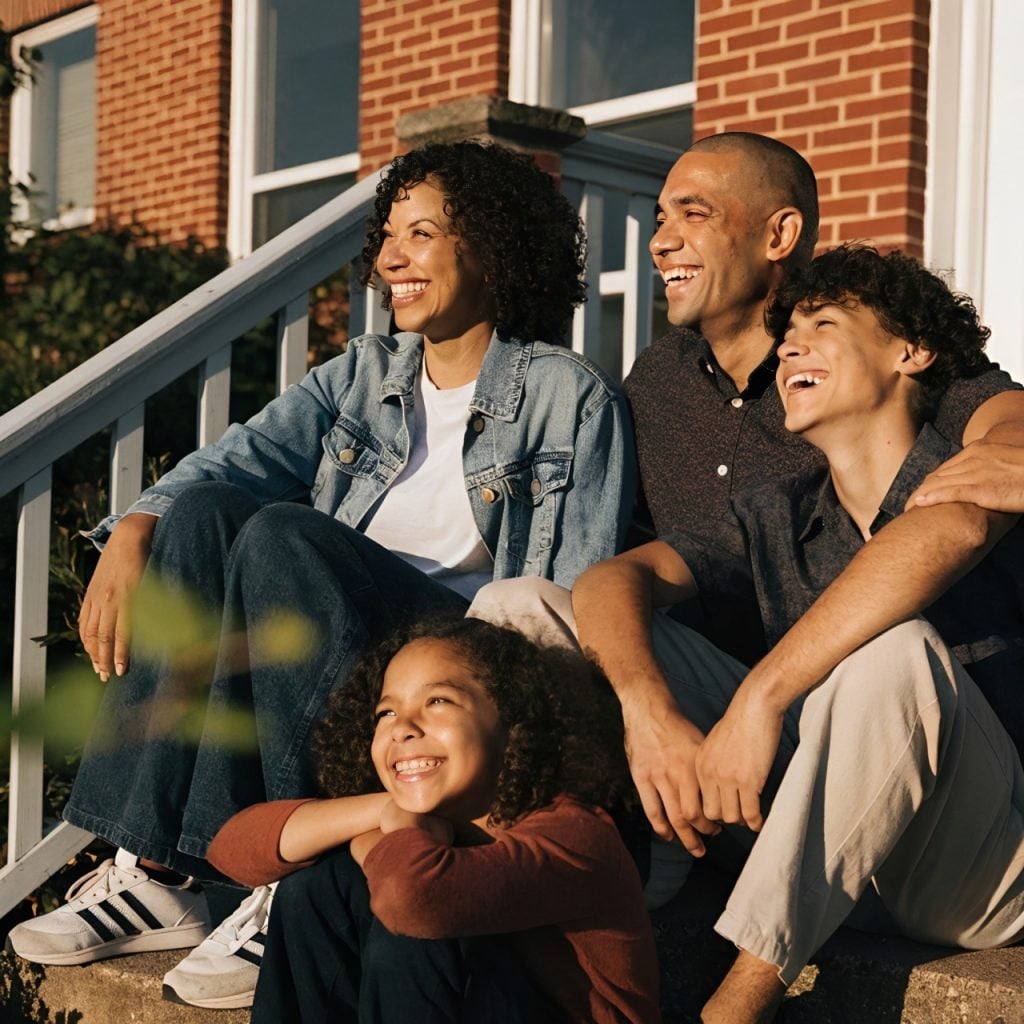
Freepik AI Suite (Magnific)
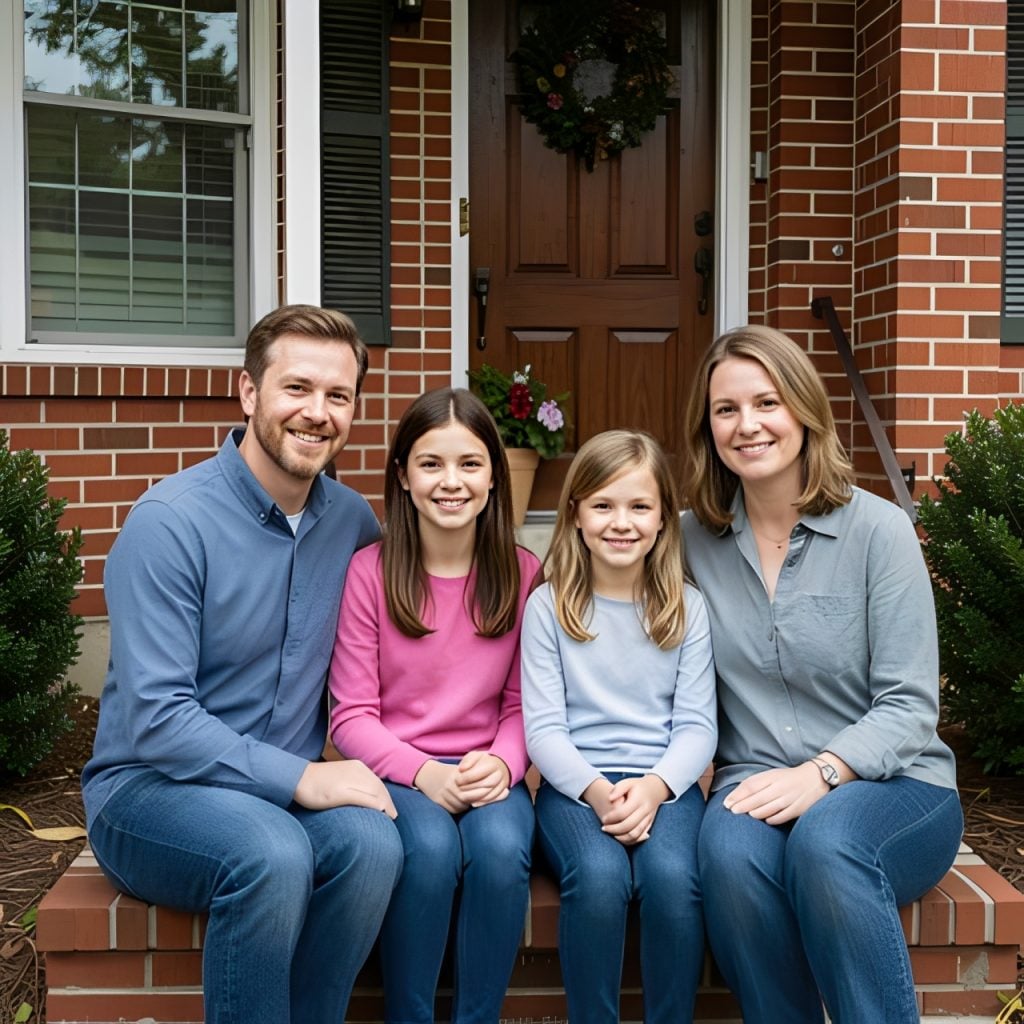
Freepik’s AI suite rebranded to Magnific earlier this year, consolidating its stock-asset library with the Magnific AI upscaler it had acquired in 2024. Older reviews and search results still reference the “Freepik AI” name, and existing accounts and credits carried over automatically. Functionally, it’s the same aggregation approach: one credit-based subscription unlocking 30+ image models (its own Mystic, Google’s Nano Banana Pro and Images 4, several Flux versions, Seedream, GPT Image, Ideogram, Recraft, and more), plus video, audio, and upscaling tools, rather than one proprietary model. Pricing is tiered rather than a flat rate, with a free tier offering 20 generations a day on one proprietary model, and Premium starts at $20/month but still requires purchasing credits on certain models like Nano Banana and others. It also did the worst in our first basic prompt, creating 4 options with only two that actually had the correct number of people (and correct number of hands and feet).
Verdict: the best budget pick for accessing multiple frontier models without stacking several separate subscriptions.
Sample Prompt + Image: create a photorealistic portrait of a family of 4 sitting in front of a red brick home
NightCafe
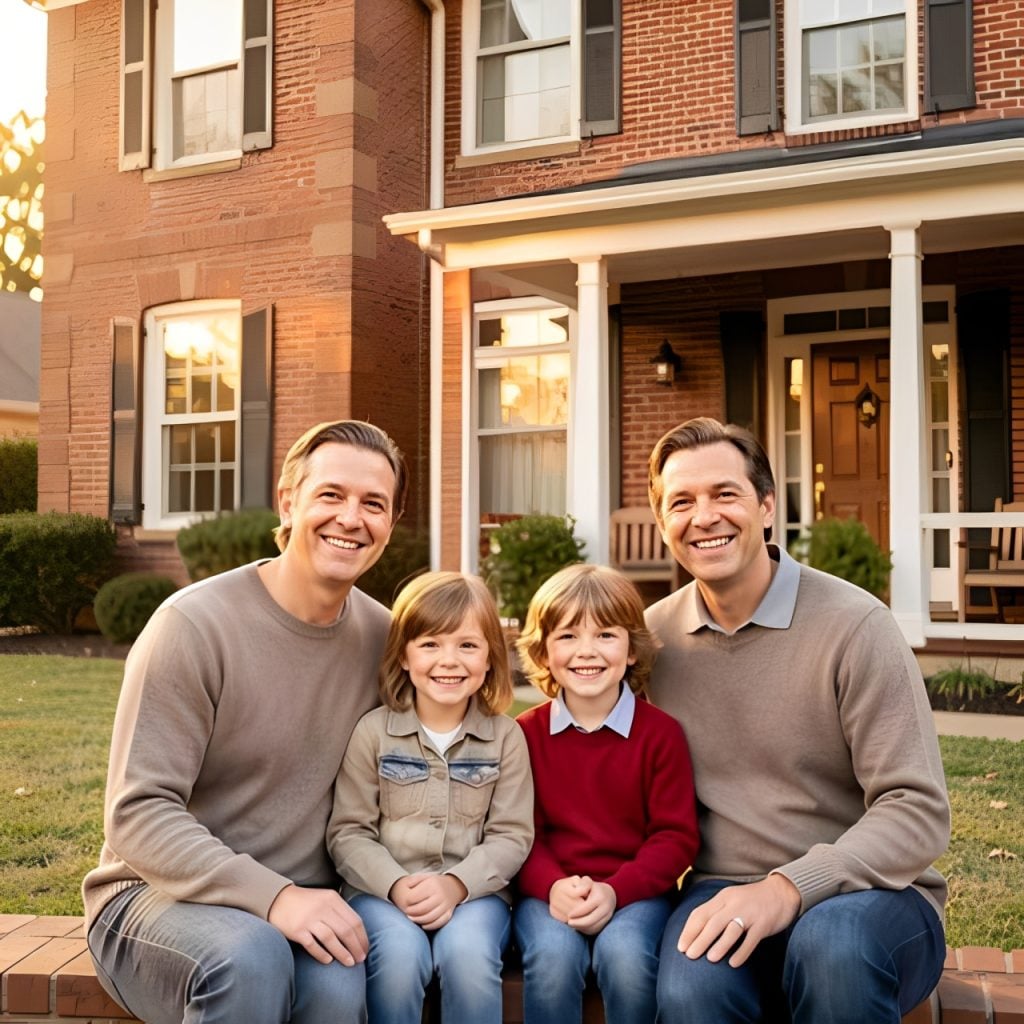
NightCafe built its following as a community-first platform, with a public feed of other users’ creations, prompt-sharing, and creation challenges alongside the generation tool itself, which sets it apart from the other more utilitarian, workflow-focused tools on this list. It offers daily free credits and inexpensive credit packs beyond that, undercutting most subscription-based competitors for casual or occasional use. Output quality is solid but generally a step behind the category’s photorealism and text-rendering leaders, and it’s better suited to hobbyist and creative exploration than professional production work. It is also the only tool on this list that created an image of two dads and two children when given the prompt below, which is worth noting for those looking for more diversity in their AI images.
Verdict: a reasonable low-cost pick for casual, exploratory use; not the choice for professional or commercial production work.
Sample Prompt + Image: create a photorealistic portrait of a family of 4 sitting in front of a red brick home
Best Free AI Image Generator
Google’s Nano Banana Pro (via the Gemini app) is the strongest free option, with flagship-quality photorealism with daily limits rather than a meager free trial. Ideogram and Lenoardo AI both offer generous, no-credit-card-required free tiers if text rendering or model variety matter more than photorealism. For unlimited free use with no daily cap, try Stable Diffusion self-hosted, though you will need the hardware to run it.
Best For Photorealism / Anime / Logos & Product
Photorealism: Google’s Nano Banana Pro and Flux 2 lead the category, both outperforming Midjourney and GPT-family models on skin texture, fabric, and lighting in recent independent benchmarks.
Anime and stylized art: Leonardo AI’s Anime XL model and community fine-tunes, alongside Midjourney’s stylization strength, are the strongest picks for anime and illustrated character work specifically.
Logos and text-heavy graphics: Ideogram remains the category leader for legible text, with Recraft the strongest alternative when you specifically need editable vector/SVG output rather than a flat image.
Product photography: Flux 2 and Nano Banana Pro both lead on studio-quality product shots with consistent lighting, accurate material texture, and clean backgrounds, but Adobe Firefly is the safer choice when commercial licensing certainty matters more than squeezing out the last bit of photorealism.
Tips For Better AI Image Prompts
Be specific about what matters most and let the model fill in the rest. Over-specifiying every detail often produces a more generic result than naming the two or three things you actually care about (subject, mood, lighting) and trusting the model for composition. Reference a photography or art style directly (“shot on 35mm film,” “in the style of a watercolor illustration”) rather than vague adjectives like “beautiful” or “professional,” since concrete style references give the model something specific to match. If a tool supports iterative editing (GPT Image and Nano Banana Pro are two that do), treat the first generation as a draft and refine it with targeted follow-up instructions rather than rewriting the prompt from scratch. For text-heavy images, keep the requested text short and simple, even on Ideogram and Recraft that are designed for that kind of work, as accuracy drops as the word count in an image goes up. And when a result is close but not quite right, regenerating with the same prompt rather than tinkering with it tends to fix it, since most models have a real run-to-run variation built in.
FAQ
What Is The Best AI Image Generator?
There isn’t a single best one, but there are best ones for each job. Midjourney leads for artistic quality, Nano Banana Pro and Flux for photorealism, Ideogram for text inside images, Adobe Firefly for commercial legal safety, and Canva for convenience inside a design workflow.
Are There Any 100% Free AI Image Generators?
Yes. Stable Diffusion is free and unlimited if self-hosted on your own hardware. Google’s Nano Banana Pro is free to use inside the Gemini app with daily limits, and Ideogram and Leonardo AI both offer generous free tiers with no credit card required.
What Is The Most Realistic AI Image Generator?
Google’s Nano Banana Pro and Flux 2 currently lead on photorealism in independent testing, particularly for skin texture, fabric, and natural lighting. GPT Image is also highly rated for realistic output with strong prompt accuracy.
Is ChatGPT The Best For Image Generation?
ChatGPT’s image model (GPT Image) is one of the strongest options for following instructions precisely and making targeted edits through conversation, and it’s bundled into a subscription many people already have, but that doesn’t necessarily mean it is the best for everyone. If you need images for commercial use, especially logos, then Ideogram or Recraft would be best.